
The Boring Controls Every AI IDE Eventually Needs
Why quota visibility, cache cleanup, diagnostics, and service recovery matter once an AI IDE becomes part of your daily coding loop.
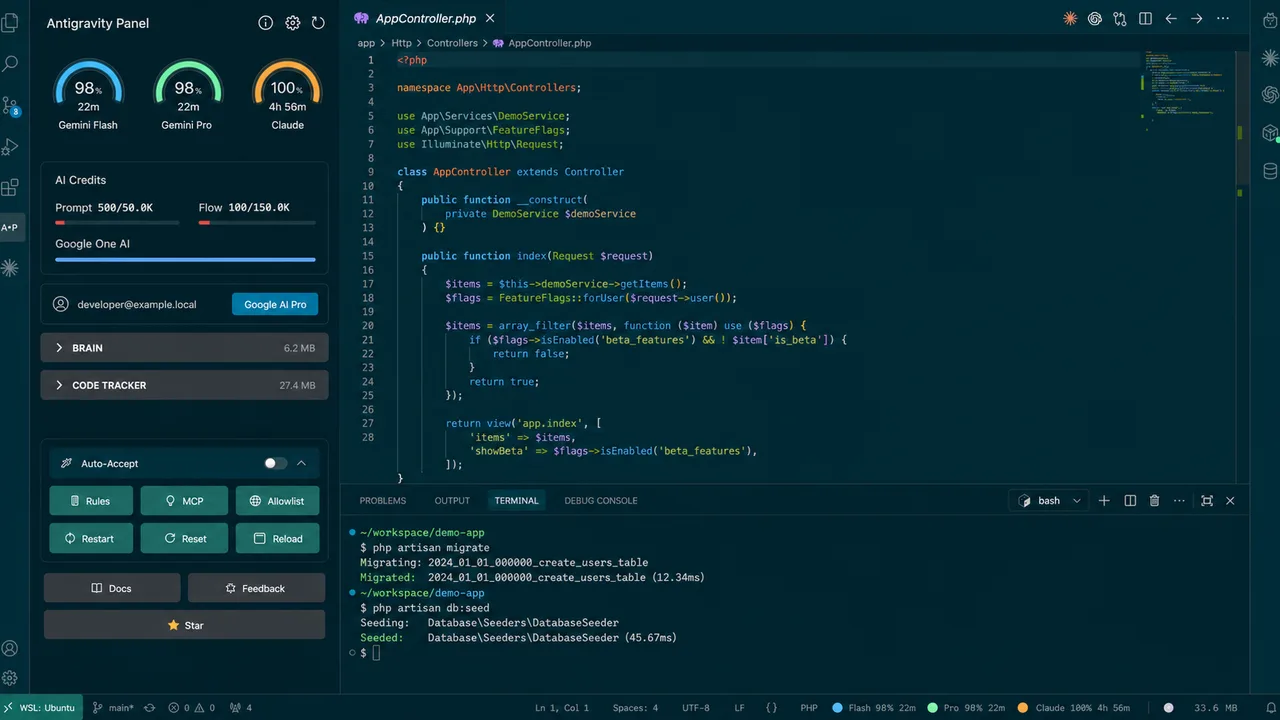
AI IDEs feel impressive at first. Then the boring stuff shows up: quota gets fuzzy, a chat panel drags after a long session, and the language server starts acting weird. You waste twenty minutes blaming TypeScript when the editor just needed a kick.
Antigravity Panel tries to cover that gap. It is a sidebar toolkit for Google Antigravity IDE users, and it focuses on operational controls more than novelty.
Check The Tool Before The Repo
When an AI coding session goes sideways, the first instinct is to inspect the repo. Sometimes the problem lives in the tool around the repo instead.
A model quota may be almost gone. The conversation cache may have grown into a brick. An internal service may be stale after the IDE has been open since breakfast.
This kind of bug is easy to lose time on, because the terminal looks clean and the app builds while the editor still behaves like it has sand in the gears. You need operational controls close to the work, where you can reach them without digging through three panels.
Quota Should Be Visible
Quota problems are annoying because they rarely announce themselves clearly.
One minute the agent is fast. Then the model changes tone, latency creeps up, or a workflow refuses to continue. You end up asking a bad question: "Did I break something?"
Antigravity Panel tracks model usage where the local environment exposes it, including Gemini, Claude, and GPT status data. It also includes threshold-style quota visualization and usage history.
If you are halfway through a refactor and the assistant starts limping, you should know whether the bottleneck is your code, the model, or the IDE session itself.
Cleaning The Conversation Cache
Long AI sessions create drag. The IDE can feel sticky after a pile of prompts, edits, tool calls, and cached context. Restarting the whole environment works, but it is a blunt instrument and you lose flow.
Antigravity Panel exposes cache size checks and cleanup commands from the IDE. You can inspect cache pressure, clean it, and keep moving without turning a small cleanup into a full restart.
Antigravity Panel: Show Cache Size
Antigravity Panel: Clean Cache
Diagnostics Before Panic
The extension also exposes diagnostics and recovery commands:
Antigravity Panel: Run Diagnostics
Antigravity Panel: Restart Language Server
Antigravity Panel: Reload Window
Antigravity Panel: Reset User Status
Each one maps to an obvious next move. If the language server is stale, restart it. If the window is in a bad state, reload it. If the user status is stuck, reset it. You don't have to delete folders at random and hope the IDE recovers.
Auto-Accept Needs Respect
Antigravity Panel includes an Auto-Accept toggle, and it is the feature you should treat with a little suspicion.
Auto-approval can be useful in a trusted repo when the agent is doing boring edits you have already constrained. It is a bad idea in a workspace you do not understand, or when commands touch files outside the project boundary.
The project ships a disclaimer for it and keeps the feature visible as a deliberate toggle, so turning on automation is a conscious choice. Read the rules and check your allowlist before you flip it.
Commit Messages Are Part Of The Loop
The panel also supports AI commit-message generation. You can wire it to Claude with an Anthropic API key, or use a local model setup when that fits your workflow.
When you are doing AI-assisted edits, the final diff can be oddly shaped: one component fix, one config change, a test adjustment, and a tiny docs patch. A commit message written from the diff helps you catch what actually happened, which matters more for review than the wording does.
A Toolkit For The Unsexy Layer
AI IDEs keep adding bigger features, but daily work usually breaks in smaller places: quota, cache, stale services, unclear status, hidden settings.
Antigravity Panel sits in that unsexy layer. It gives you knobs for the stuff that interrupts real coding sessions. If an IDE becomes an agent runtime, it needs operations tooling inside the IDE from the start.