
Local MCP Servers vs Remote MCP Servers
How to decide whether an MCP server should run on a developer machine, inside a team network, or as a hosted remote service.
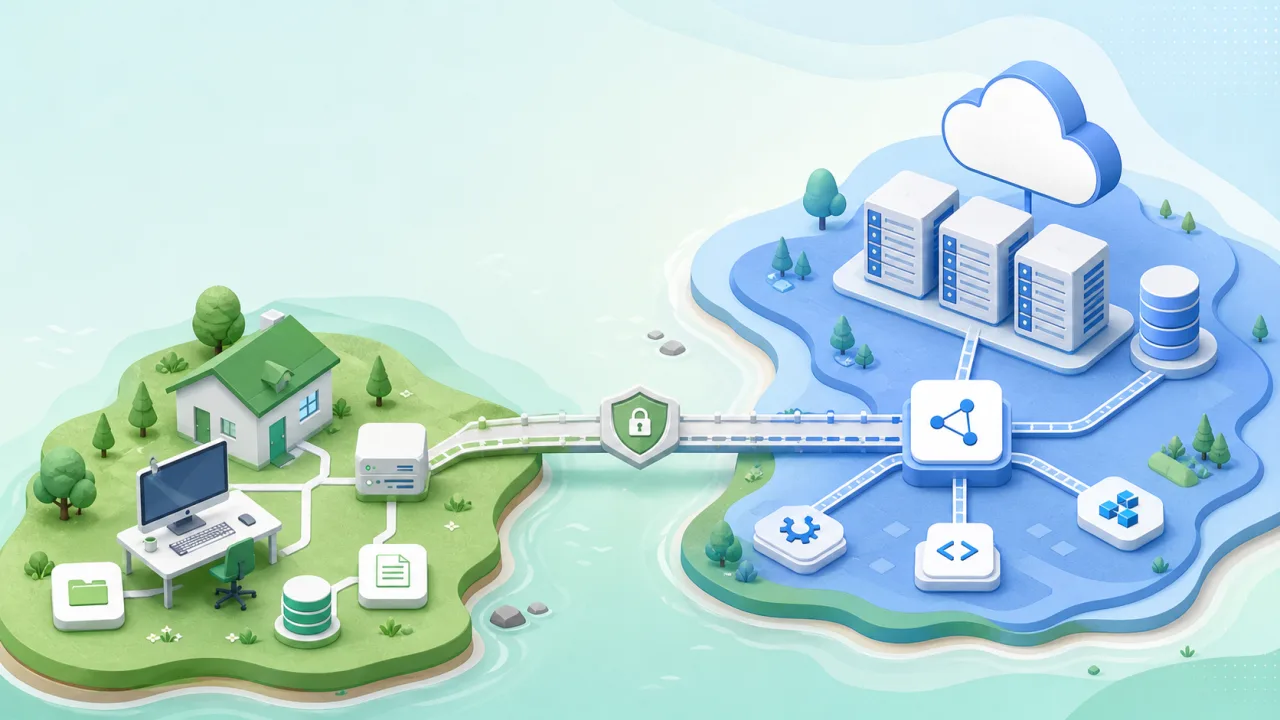
Before you pick a framework for an MCP server, decide where the server should run.
Local and remote MCP servers solve different problems. A local server is close to the developer machine, project files, IDE state, and private context. A remote server is close to shared services, team data, backend policy, and hosted APIs.
Which one fits depends on where the authority belongs.
What A Local MCP Server Is Good For
Local MCP servers are useful when the relevant context lives on the user's machine.
Good examples:
- Reading selected project files.
- Exposing IDE diagnostics.
- Connecting to local development servers.
- Managing project-local memory.
- Inspecting local Git state.
- Bridging to an IDE plugin.
- Running safe local checks.
A local server's advantage is proximity. It can work with files and tools that should not be uploaded to a hosted service, respect project boundaries, and keep private code on the machine. It also fits into local development workflows, which is why local-first MCP design suits coding tools.
What A Remote MCP Server Is Good For
Remote MCP servers are useful when the data and policy already live in a hosted service.
Good examples:
- GitHub issues and pull requests.
- Documentation indexes.
- SaaS analytics.
- Content APIs.
- Team knowledge bases.
- Billing or account systems.
- Organization-wide policy tools.
A remote server centralizes control. It can apply shared authentication, rate limits, audit logging, and access control. It can also serve multiple users without requiring each person to install and configure the same local package.
If the data belongs to a team system, a remote MCP server often makes more sense than a local wrapper.
The Authority Test
Use this question:
Where is the authority for this action?
If the authority is a local project folder, the server should probably be local. If the authority is a backend service, the server should probably be close to that backend or call it through a narrow API.
Examples:
- Reading a private working tree: local.
- Updating a team's canonical issue tracker: remote.
- Inspecting an IDE plugin state: local.
- Creating a CMS draft through a production API: remote API, possibly with a local MCP adapter.
- Searching public package metadata: either local wrapper or remote service, depending on caching and policy.
This test prevents a common mistake: moving private local context into a hosted server just because deployment feels easier.
Privacy And Data Movement
If an assistant needs to inspect code, config files, local logs, or active task context, keeping the MCP server local avoids unnecessary data movement and can reduce exposure. The server can enforce folder scope and return only what the tool call needs.
Remote servers can still be secure, but they need a stronger reason to receive private context.
Ask:
- Does this data need to leave the machine?
- Is there a team benefit to centralizing it?
- Can the server return metadata instead of raw content?
- Is there a clear retention policy?
- Is access logged?
If the answer is unclear, keep the boundary closer to the user.
Operations And Reliability
Local servers are easy to start and hard to standardize.
They depend on local runtime versions, package managers, environment variables, ports, and client configuration. They are flexible, but every developer machine becomes part of the operating environment.
Remote servers are easier to standardize and harder to host correctly.
They need deployment, authentication, monitoring, rate limiting, and incident response. They may be more reliable for teams, but they carry more operational responsibility.
The tradeoff:
local: more user environment variance
remote: more platform responsibility
Pick the one your team is prepared to maintain.
Latency And Availability
Local servers can be fast for local resources.
Reading a file, querying local state, or talking to an IDE plugin does not need a network round trip to a hosted service. That is good for interactive coding workflows.
Remote servers can be better for shared data.
If the tool needs a hosted database, a public API, or a team service, a remote server may be closer to the data and more consistent across users.
Base the choice on where the data lives and how the tool reaches it.
Security Boundaries
A local MCP server with broad shell access can be riskier than a remote server with narrow read-only tools. A remote server with poor authorization can be worse than a local server scoped to a single repository.
Scope matters more than location, so review the actual boundary:
- What tools are exposed?
- What data can be read?
- What actions can modify state?
- Who can call the server?
- Where are credentials stored?
- What gets logged?
Hybrid Patterns
Many useful systems are hybrid.
For example:
AI client
  |
  v
local MCP server
  |
  v
remote product API
This works well when the local server adapts the assistant workflow and the remote API owns the durable state.
Another pattern:
AI client
  |
  v
local MCP bridge
  |
  v
local IDE plugin
This works when the IDE owns the context, but the AI client needs a stable way to reach it. In both cases, splitting the work this way often gives the cleanest boundary.
A Practical Decision Guide
Choose local when:
- The data is private project context.
- The workflow depends on IDE or local machine state.
- The user controls the project boundary.
- Offline or low-latency local work matters.
- You do not need shared team state.
Choose remote when:
- The data and policy live in a hosted service.
- Team-wide permissions matter.
- Central audit logs are required.
- Many users need the same integration.
- The server needs reliable managed availability.
Choose hybrid when:
- The assistant workflow is local, but state belongs to a backend.
- The target system is local, but discovery or bridging is needed.
- You need a narrow local adapter over a remote policy layer.
A Practical Default
For coding workflows, local-first is usually the safer default.
Project memory, IDE bridge state, active task context, and local development details belong close to the repository. That is why tools like n2n-memory and MCPxHub are designed around local boundaries.
For publishing, account data, or team systems, the backend should own policy. That is why a bridge like n2n-post2site calls a site API instead of pretending the assistant should own the database.
The pattern:
Keep local context local.
Keep shared authority in the system that owns the data and policy.
Use MCP to expose the workflow, not to blur ownership.