
Public open-source project
MCPxHub
Keeps Claude Desktop and other MCP clients connected to VS Code-family or JetBrains IDE servers as ports change.
Developers connecting MCP clients to VS Code-compatible or JetBrains IDEs.
@bugstan/mcpxhubv1.2.1MITMCPClaudenpm
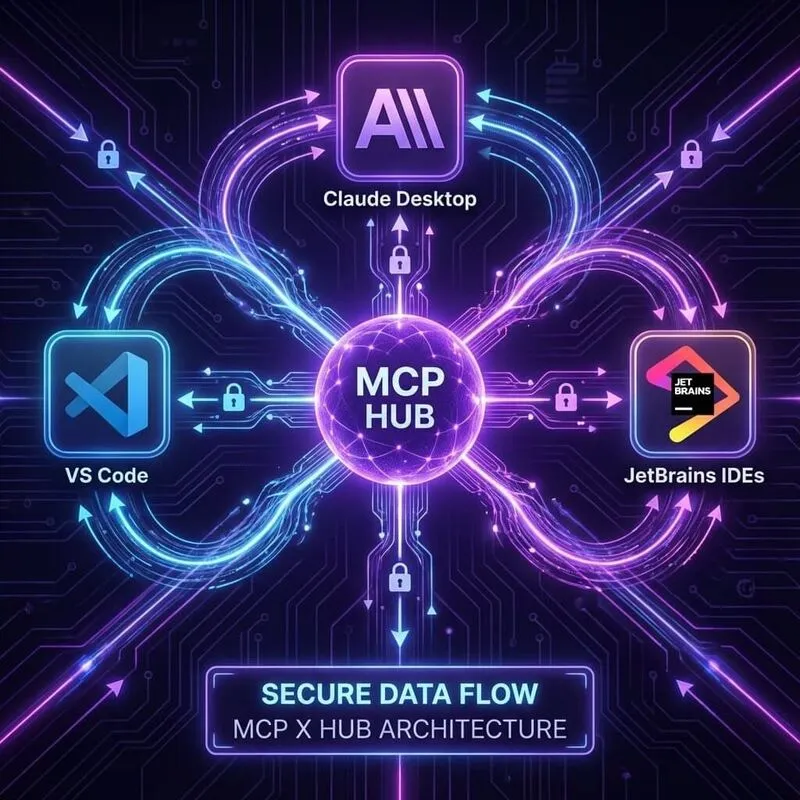
Overview
- Local bridge between MCP clients and IDE MCP servers.
- Discovers active IDE ports and proxies JSON-RPC 2.0 MCP calls locally.
- Supports VS Code, Cursor, Windsurf, Antigravity, and JetBrains IDEs.
Common Uses
- Connect Claude Desktop to an IDE without manually editing ports.
- Keep client configuration stable while IDE MCP server ports change.
- Share one bridge across multiple local IDE plugin families.
Requirements
- Node.js >= 20
- Claude Desktop or another MCP client.
- An IDE-side MCP server plugin: GG MCP for VSCode for VS Code/Cursor/Windsurf/Antigravity, or MCP Server Plugin for JetBrains.
Install
- 1shell
npm install -g @bugstan/mcpxhub - 2shell
npx -y @bugstan/mcpxhub
Configure
- 1json
{ "mcpServers": { "MCPxHub": { "command": "npx", "args": [ "-y", "@bugstan/mcpxhub" ], "env": { "IDE_TYPE": "vscode" } } } } - 2
Set IDE_TYPE to vscode or jetbrains.
- 3
Optional env: LOG_ENABLED=true, MCP_SERVER=127.0.0.1, MCP_SERVER_PORT=63342.
Tools / Commands
- Start the bridge with npx -y @bugstan/mcpxhub.
- From source: npm install, npm run build, node dist/bundle.js.
- Local test scripts: ./test.sh [ide_type] on Linux/macOS, test.bat [ide_type] [mcp_server_port] [mcp_server] on Windows.
Resources / Settings
- VS Code-family port scan: 9960-9990.
- JetBrains port scan: 63342-63352.
- Connection priority: MCP_SERVER_PORT, cached endpoint, IDE_TYPE port range, JetBrains fallback.
- Adaptive reconnection: 5s polling when disconnected, 30s when stable.
FAQ
Frequently asked questions and troubleshooting guides.
MCPxHub is a local bridge. It scans local ports for active IDE-side MCP servers and proxies RPC calls for clients such as Claude Desktop.
Ensure your IDE plugin (like GG MCP for VS Code) is installed and active. Check that your environment variables (like `IDE_TYPE`) are correct and that the IDE status bar shows it is listening on a port within the scan range.